






Patchwork Tattoo Builder
Patchwork Tattoo Builder
Pick a placement, add reviewed tattoo pieces, and move, scale, rotate, and layer them into one layout you can check on skin.
1Choose a placement
Each placement keeps its own layout.
2Arrange your layout6 / 9
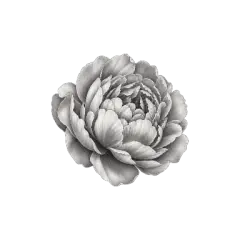
Selected piece Peony
Layers · top first
Choose any piece here, or click the same overlapping area again to cycle through stacked pieces.
- Undo, lock and replace pieces in place
- Save up to 4 plans per placement and compare them on skin
- Add lettering and your own generated designs
- Free to arrange, no sign-in
- Saved here or in your account
- Export for 20 credits
How to plan a patchwork tattoo in the Builder
- Step 1
Pick the body placement
Start with where the tattoo goes. Each of the nine placements has its own skin area and keeps its own layout, so you can compare a forearm and a thigh version side by side.
- Step 2
Add one large piece first
Filter the library by subject, style, and size. A large main piece sets the direction; medium pieces build around it and small fillers close the gaps.
- Step 3
Arrange, then check it on skin
Drag to move, then scale, rotate, flip, and layer each piece. The skin preview shows the same layout on a real body photo and warns you when a piece runs past the skin area.
- Step 4
Export it for your artist
With at least 3 different pieces, export a transparent layout PNG and a skin preview PNG for 20 credits. Bring both to your consultation.
Balance large, medium, and small pieces
A patchwork tattoo is a collection of separate designs that still reads as one piece. The size filter in the library follows the same three roles.
One or two main pieces
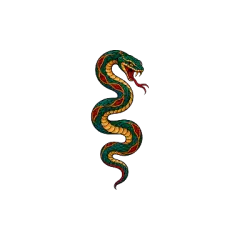
Give the layout an anchor: a snake, a peony, a dagger. Place it off-center so the eye has somewhere to travel.
Two to four supporting pieces
Mix subjects but keep the line weight close. Tilt them slightly toward the main piece so the patches read as one sleeve.
Fillers in the gaps
Stars, dots, and sparkles fill awkward space. Leave a little skin between patches; patchwork looks best when each piece can breathe.
Looking for more pieces?
Browse finished designs for your placement and send any of them here with Add to Builder, or describe a single piece and let the AI Tattoo Generator draw it.
About this Builder. Built and maintained by the Patchwork Tattoos team. Library elements are cut from gallery designs our team reviewed and are checked for each placement they are offered on. Layouts are concepts for your artist to redraw, not stencils. Questions: support@patchwork-tattoos.com
Patchwork Tattoo Builder FAQ
What is free, what an export includes, and how to take your layout to an artist.
Is the Patchwork Tattoo Builder free?
Arranging is free and needs no account: add, move, scale, rotate, and layer pieces and try as many arrangements as you like. You only pay when you export a finished placement (20 credits for both files) or generate a new private element (20 credits).
How many pieces can one layout hold?
Up to 9 pieces per placement. The back of the hand is smaller, so hand layouts hold 5 pieces at most. An export needs at least 3 different pieces.
Where do the elements come from?
Every library element is a transparent cut-out of a design from our reviewed gallery, checked for the placements it is offered on. That is why the library changes when you switch placement. You can also send a gallery design straight here with its Add to Builder button.
What do I get when I export?
Two PNG files: the layout on a transparent background, and a preview of the same layout on the body photo for that placement. Downloading a completed export again is free.
Is my layout saved?
Your layouts are saved in this browser, up to 4 plans per placement, so you can close the page and continue later. Sign in and they are also saved to your account and open on any device; without an account, clearing site data or switching browsers starts fresh.
Can I add my own idea to the layout?
Yes. Open Add Element, choose Generate New Element, describe the piece, and pick its style and size. A usable transparent element costs 20 credits; a failed attempt costs nothing. It stays private in My Elements for future layouts.
Can my tattoo artist use the export?
Yes. Layouts you export are yours to use for your own tattoo and to share with your artist. Treat them as a concept: your artist will redraw the pieces, set line weight and spacing, and fit them to your body.